Your Account
To access pingg you will first need to register an account. You can create an account using your email address or link an existing account for a different service.
tip
We currently allow third-party sign in through Google and Twitter.
To create a new account using your email address, click on 'Sign in with email' and enter your desired email address into the prompt. You will then be asked to choose a password for your account. After you have successfully entered your information, click 'SAVE' to finalize your information. You will now be redirected to your pingg homepage. Before you begin using the site for the first time, you will be asked to complete a form with personal information.
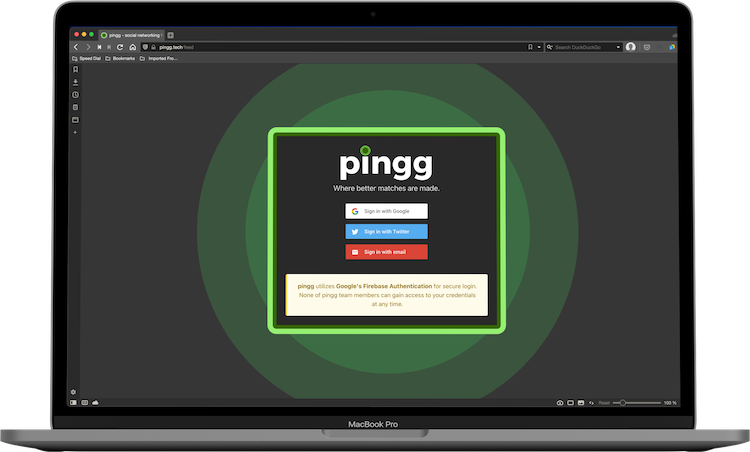
Alternately, you can create a linked account through Google or Twitter by clicking the corresponding button on the sign in page. Once you have chosen one of these services, follow the instructions in the pop-up dialog to finish account creation. Once completed, you will be signed in and redirected to your pingg homepage.
important
pingg utilizes Google's Firebase Authentication for secure login. None of the pingg team members can gain access to your credentials at any time.
Logging Out
Once your account has been registered, you will remain signed in to pingg until you logout or clear your browser. To sign out of pingg manually, mouse over 'More' in the site header to reveal a drop-down menu. Click “Logout” at the bottom of the menu.